📸 Gallery
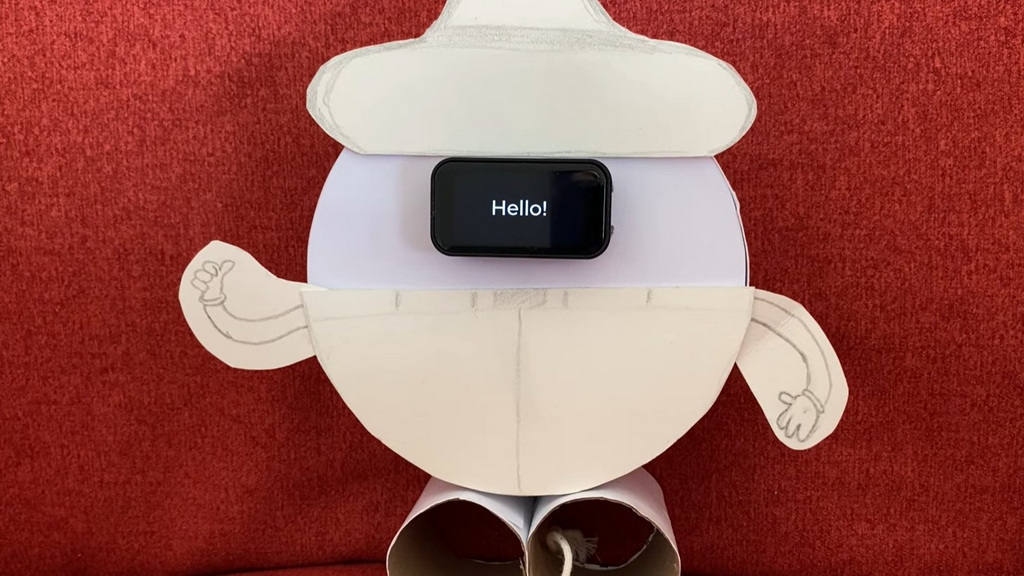
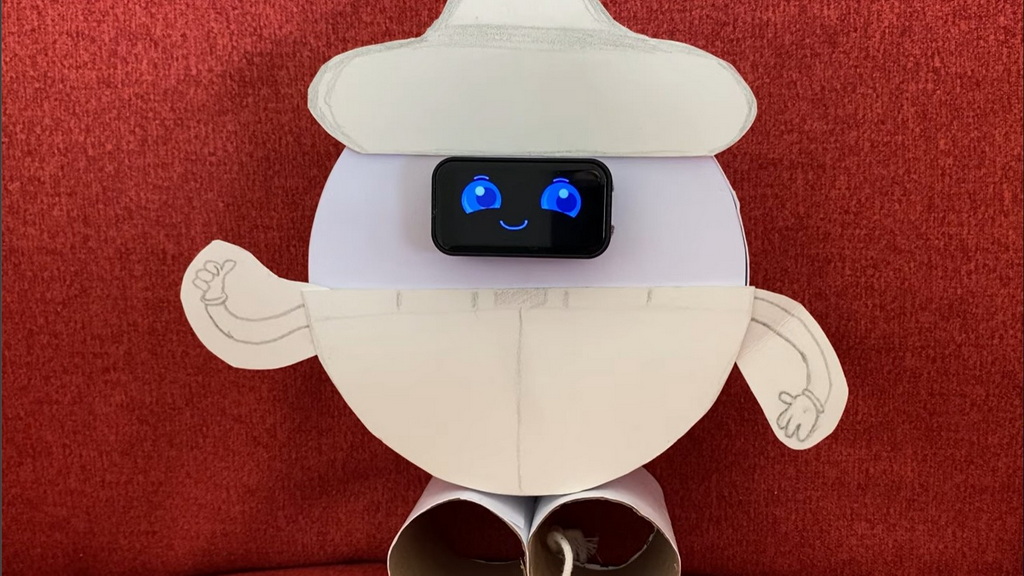
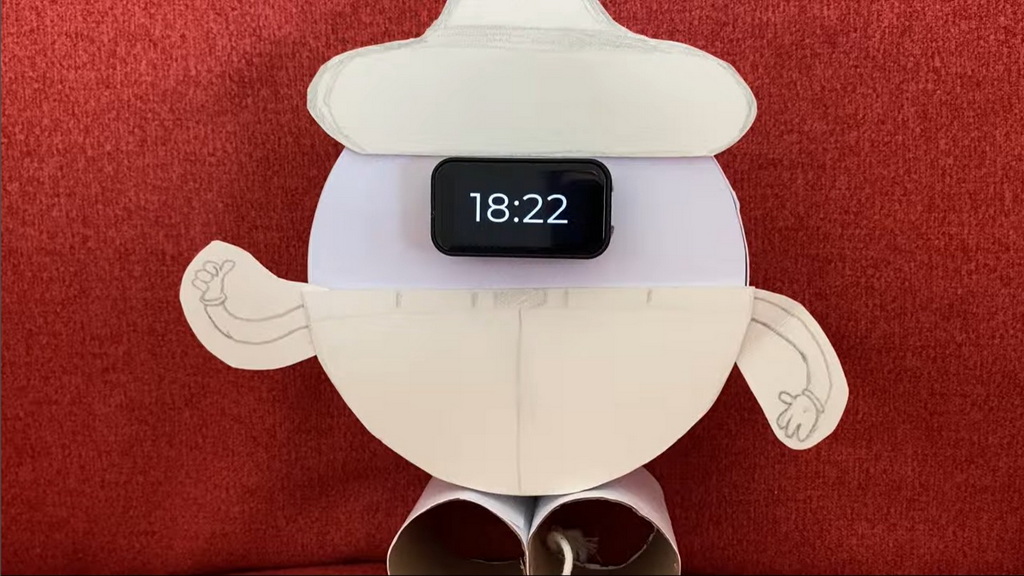
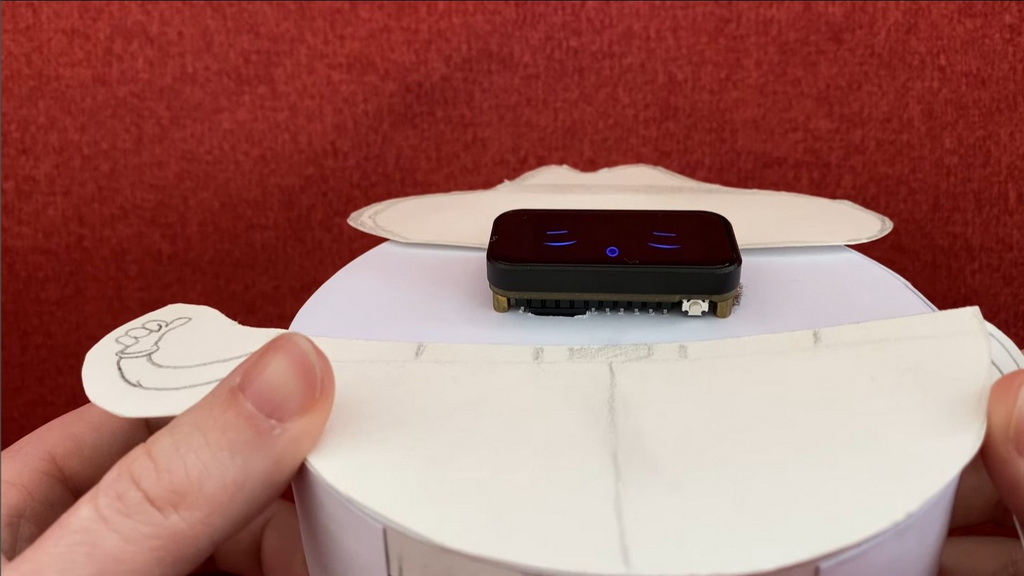
✨ Features
| Big clock face | HH:MM in a full-screen custom font (Montserrat 96px) |
| Analog clock | Upper-right tap opens a live-drawn analog clock with pie-sector sweeps. |
| Splash screen | "Hello!" on cold boot (2.5 s); "Salut!" on wake from sleep (1 s) |
| Animated GIFs | Smile (day) and Sleep (night) emotions from SD card |
| Scheduled animation | GIF plays on a configurable minute interval, 800 ms fade back |
| Night mode | Sleep GIF used automatically between 20:00 and 07:00 |
| Alarm | Configurable wake-up time, custom buzzer pattern, alarm animation |
| Countdown timer | Live MM:SS on clock face, timer animation on completion |
| Emotion tilt | Tilt the device to change emotion in real-time |
| Clock editor | Sets HH:MM and DD/MON/YYYY offline, no WiFi needed |
| WiFi modes | Three-way radio policy — WiFi (join network, NTP syncs), AP (own hotspot, no internet), Off (airplane mode) — set from the carousel or config.ini |
| Resilient WiFi connect | Non-blocking connect with a disconnect-reason state machine: a rejected password auto-falls-back to the AP hotspot; an unreachable network backs off the radio 30s–10min instead of scanning forever |
| Web configuration | PIN-protected browser UI — edit config.ini, set date/time, reboot; accessible in both WiFi and AP mode |
| AP hotspot | Own open hotspot (no WPA2 passphrase) named ESP32-Clock-XXXXXX per device; the boot-generated PIN authorises the web UI's mutating actions only, not joining the hotspot |
| macroPad — ASCII art over USB | The clock introduces itself to a computer as a USB keyboard and types a stored text file into whatever window has focus, one keystroke at a time. Open an editor, tap a picture, and watch a penguin get drawn by keypresses — the same trick every keyboard performs, made visible. Write a new .art file, drop it in /scripts, and it appears in the menu; no toolchain, nothing to install. ESP32-S3 only — needs the USB-OTG peripheral the C6 does not have. Note that art lives on whichever storage is active and is not copied from card to internal flash at boot, unlike the GIFs. |
| Battery monitor | Live percentage, voltage, ADC raw — with LiPo discharge curve |
| Low-power gate | Refuses to boot if battery ≤ 10%, shows empty battery icon and deep sleeps. |
| Apps menu | Math challenge gate, Rock Paper Scissors, Rolling Dice, Coin Flip, Metronome, Tennis Letters, Letters Rain, Snake Letters, Bingo!, ToneQuest |
| Metronome | 60–240 BPM with hardware-timer accuracy, beat dot indicators, 2/4 3/4 4/4 time signatures, distinct hi/lo tones |
| Bingo! | On-device 1–90 number caller with cycle-and-reveal animation, tilt-to-draw, and a call-history popup — no repeats, ever |
| Printable Bingo tickets | Web Configuration links to /bingo — an in-browser generator for UK/housie-style ticket sheets, fresh set every load |
| Gyro shake/tilt | Physically shaking or hard-tilting the device restarts RPS or Dice — no tap needed |
| SD card config | All settings in /config.ini — no recompile needed |
🛠 Hardware
Board: Waveshare ESP32-C6 Touch LCD 1.47"
The project is built on the Waveshare ESP32-C6 Touch LCD 1.47" development board, which features a 1.47-inch ST7789 display and an AXS5106L touch controller. The board also includes a QMI8658 IMU for motion sensing, an ETA6098 battery charger for power management, and an SD card slot for storage. This all-in-one design simplifies wiring and allows for a compact form factor.
Key specifications of the display include a resolution of 172 × 320 pixels in landscape mode (ROTATION = 1) and an SPI interface for communication. The touch controller uses I²C for input handling. The board's integrated components make it ideal for building interactive projects like this animated clock.
You can purchase the board from Waveshare. It’s an affiliate link, so if you use it, you’re basically buying me a coffee (and I really appreciate it)! ☕
| Component | Value |
|---|---|
| Controller | ST7789 |
| Resolution | 172 × 320 px (Landscape ROTATION = 1) |
| Interface | SPI (HWSPI) |
Pin Map & Wiring
Connect a passive buzzer (not active) between GPIO 5 and GND. If the buzzer is very loud, add a 100 Ω resistor in series.
ESP32-S3 only — optional KY-023 joystick. That board has no IMU, so the tilt-steered games are hidden there by default. A KY-023 module on header P1 gives them back: SW → GPIO 8 (P1.20), VRy → GPIO 9 (P1.18), VRx → GPIO 10 (P1.16), GND → P1.3 and the module’s +5V pin to 3V3 (P1.6) — never to 5 V, since the module is a bare divider with no level shifting. Then turn on Extra Games in the USB carousel. See the README for the full wiring table and tuning options.
| Signal | GPIO |
|---|---|
| Display DC / CS / RST / BL | 15 / 14 / 22 / 23 |
| SPI SCK / MOSI / MISO | 1 / 2 / 3 (MISO SD only) |
| SD Card CS | 4 |
| Touch I²C SDA / SCL | 18 / 19 |
| Battery ADC | 0 |
| Passive Buzzer | 5 → GND |
💻 Software Dependencies & Setup
Developed using Arduino IDE, download the latest version from the official Arduino website.
Install the board through Arduino IDE → Tools → Board → Boards Manager, search `esp32` and install esp32 by Espressif (this will provide SD, WiFi & WifiMulti libraries).
Install all libraries through Arduino IDE → Tools → Library Manager: LVGL (v9.6.0), Arduino_GFX_Library (1.6.5), FastIMU (1.2.8).
The file lv_conf.h is included in the repo so there is no need to update the local library src file.
Here are some important changes in the lvgl configuration file:
#if 1  /* Enable the file */
#define LV_USE_STDLIB_MALLOC    LV_STDLIB_CLIB
#define LV_USE_STDLIB_STRING    LV_STDLIB_CLIB
#define LV_USE_STDLIB_SPRINTF   LV_STDLIB_CLIB
#define LV_USE_GIF  1
/* Enable Montserrat 14, 16, 48 */
SD Card Setup (FAT32)
GIF files must be resized to 160 × 86 pixels to avoid RAM exhaustion.
SD root/
├── config.ini
├── last_seen.txt
├── scripts/            ← ASCII art for macroPad (not auto-copied to flash)
│   ├── ASCII_house.art
│   ├── ASCII_hut.art
│   └── ASCII_penguin.art
└── cruzr_emotions/
    ├── cruzr_smile.gif
    ├── cruzr_sleep.gif
    ├── cruzr_sad.gif
    ├── cruzr_joy.gif
    ├── alarm_animation.gif
    └── timer_animation.gif
📱 Usage & Interface
Home Screen Touch Zones
┌─────────────────────────────────────────┐
│   Smile GIF (UL)  │  Analog Clock (UR)  │
├───────────────────┼─────────────────────┤
│   Status (LL)     │  Battery (LR)       │
└─────────────────────────────────────────┘
      LONG-PRESS anywhere → Carousel menu
- Analog Clock (UR): Tapping the upper-right zone opens the live-rendered analog clock interface.
- Status (LL): Shows WiFi, NTP, and Brightness. Tilt left/right to adjust brightness.
- Battery (LR): Live %, voltage. Long-press for software power-off.
- Emotion Tilt: Tap UL (Smile). While playing, tilt the device to change emotions (sad, joy, sleep) in real-time via IMU.
- Apps Menu: Long-press the smile GIF → pass Math Gate → access Rock Paper Scissors, Dice, Coin Flip, Metronome, Tennis Letters, Letters Rain, Snake Letters, Bingo!, and ToneQuest.
- Gyro shake/tilt: While playing RPS or Dice, physically shake the device or tilt it hard sideways to restart the game — no tap needed.
🎵 Metronome
Accessible from the Apps Menu carousel (4th item). A hardware-timer-accurate metronome with a full control UI:
- BPM slider: Drag to set tempo from 60 to 240 BPM. Updates live while running.
- −1 / +1 buttons: Fine-tune one step at a time.
- START / STOP: Toggle the click on/off.
- Beat dots: Flash in sync — 🔴 red for the downbeat, 🟢 green for weak beats.
- Time signature tabs: 2/4, 3/4, or 4/4. Switches instantly, even while running.
Downbeat is accented at 1800 Hz; weak beats at 900 Hz, 25 ms each. The metronome always sounds regardless of the mute toggle — it is a musical tool, not a game effect.
🎾 Tennis Letters
A Breakout-style ASCII game where the ball is a cycling letter (a-z). Use the device's Y-axis tilt to move the paddle and catch the ball. Each catch increments the score and advances the letter. Completing a full alphabet plays a success tune. High scores are persisted to config.ini, along with numerous configurable variables to make the game more challenging.
🌧 Letters Rain
An ASCII falling-letters game. Letters and modifiers descend in separate waves — a letter wave (target + decoys) enters first, followed by a modifier wave (+ / - / *) 3–5 rows behind. Use the device's Y-axis tilt to move the paddle:
- Catch the target letter (shown capitalised in the status bar, A→Z) to score. The remaining decoys clear and a fresh letter wave spawns immediately.
- Catching a wrong letter shrinks the paddle by 1.
- Catching
+enlarges the paddle (max 10);-shrinks it (min 3). - Catching
*(rare — approx every 20 waves) instantly restores the paddle to its configured default size. - If the target letter falls through without being caught, the game ends and the last score is saved.
- Catch all 26 letters to win. The status bar shows ✓ on completion.
Each successive target spawns within 5–15 columns of the previous one, keeping the action in a natural zone. Speed increases with every correct catch. Last score is persisted to config.ini.
🐍 Snake Letters
A classic snake ASCII game. Steer the snake using the device's tilt to eat letters of the alphabet in order (a-z). Be careful: after reaching a certain score, "distraction" letters appear—touching any of them ends the game immediately! Look out for modifiers: - shrinks your snake, and / halves its length. High scores are persisted to config.ini.
🎱 Bingo!
An on-device 1–90 number caller for playing classic bingo with printed tickets. A large circle shows the current ball with a status bar underneath (Previous: X / Numbers left: Y). Tap anywhere, or tilt left/right, to draw the next ball — each draw plays a short cycle-and-reveal animation with a distinct buzzer pattern. Long-press inside the circle opens a history popup of every number called so far, in call order. Numbers are drawn from a fresh shuffle each game, so there are never repeats; calling all 90 plays a success tune. Pair it with the printable ticket sheets at Web Configuration.
🌅 ToneQuest
A Simon-says tone-memory game, ported from the Arduino original where a joystick picked the directions and four LEDs echoed them. Here the joystick is the IMU and the LEDs are four “sunset” domes rising from the screen edges — but the direction→tone table is the original one, note for note: UP D4, DOWN C4, LEFT E4, RIGHT F4.
Every game opens on a bubble level. The ball tracks tilt and the sub-note reads level the device until you hold it inside the centre ring for 700 ms; then the round begins. The sequence plays back — each step lights its edge as a semicircle that fades out like a setting sun, and sounds that edge’s tone — and you repeat it by rolling the ball into the same walls in the same order. The ball has to come back near the centre between moves, which is the original joystick’s spring return and also what stops one long sweep from registering two edges.
A clean sequence plays the success melody, adds one move and starts the next level; the pattern is drawn once per game and only ever revealed a prefix at a time, so level N is always level N−1 plus one new move. A wrong wall plays the failure tune and opens a popup with the level reached and the best ever — tap it to play again, long-press to exit. There is no win state: the score is the level you reach. Best is persisted to config.ini under [tonequest] high_score, with start_moves, flash_ms, gap_ms and tilt_percent to tune the difficulty.
Without an IMU — every S3, or a C6 whose sensor did not answer at boot — ToneQuest is the one carousel app that changes input method instead of disappearing. A tap opens the round in place of the levelling gate, and you answer with four-way swipes rather than by rolling the ball; the ball still flies to the wall it was sent to, on playback and on input, so the screen reads the same. LVGL delivers at most one gesture per press, which makes a swipe inherently one move and removes the spring-return step entirely. Scores are not comparable between the two: swiping is quicker than tilting, with no return leg.
Config.ini Reference
[wifi]
mode = wifi   # wifi | ap | off
ssid = myhomewifi
password = changeme

[clock]
ntp_server = pool.ntp.org
tz = CET-1CEST,M3.5.0,M10.5.0/3

[alarm]
enabled = true
time = 07:10

[animation]
schedule = true
duration = 10
🌐 Web Configuration
Whenever the radio is up, the device serves a browser-based configuration UI on port 80, accessible in both WiFi and AP mode (not in Off/airplane mode) — no app or cable needed.
Connecting
WiFi mode (joined to your home network): navigate to http://esp32clock.local or the IP address shown in the long-press WiFi detail popup.
Two clocks on one network? That .local name has to be unique — if both devices answer to it you reach whichever replies first. Set hostname = esp32clock2 under [wifi] in the second device's config.ini (editable from the web UI, then reboot) and it becomes http://esp32clock2.local. Only letters, digits and hyphens are kept; anything else is converted, and an unusable value falls back to the default. The AP hotspot name never collides — it already carries a per-device suffix.
AP mode (chosen explicitly, or entered automatically as a credential rescue when the WiFi password keeps getting rejected): the device creates its own hotspot, named ESP32-Clock-XXXXXX (a 6-hex-digit suffix from its own MAC, so multiple units stay distinguishable). Long-press anywhere → Carousel → WiFi to open the detail popup, which shows the AP name, IP address, the 6-digit web PIN, and the URL — everything you need to connect:
┌───────────────────────────────────┐
│  📶  ESP32-Clock-8AF8A5           │
│  IP  192.168.4.1                  │
│  🔑  Web PIN: 483921              │
│  http://192.168.4.1               │
└───────────────────────────────────┘
The hotspot itself is open — no WPA2 passphrase. Joining it needs nothing more than picking it from a WiFi list; the PIN is not a WiFi key, it only unlocks the web UI's mutating actions. A new PIN is generated at every boot from a hardware timer seed. Reading it requires physical access to the device, so no fixed credential is ever embedded in the firmware.
Web UI panels
| Panel | What it does |
|---|---|
| PIN field | Enter the 6-digit PIN shown on the device screen. Required for all save / apply / reboot actions. |
| config.ini editor | Textarea pre-filled with the current config. WiFi password is masked as •••••••• — leave it to keep the current password, or type a new value to change it. Save & Reload writes the file and applies non-reboot settings immediately. |
| Bingo Cards | Opens /bingo in a new tab — a printable sheet of UK/housie tickets for the on-device Bingo! caller. No PIN needed, nothing saved to SD, fresh tickets every load. |
| Set date & time | A date/time picker pre-filled with the current device time. Apply Time sets the RTC immediately via settimeofday() — no reboot needed. |
| Reboot | Reboots the device remotely after PIN confirmation. |
| Manage Files | Opens /files — browse everything on the SD card, download it, delete it, or upload new files straight from the browser. See below. |
| Download Log | Downloads /last_seen.txt — read-only, no PIN required. |
File manager
The Manage Files button opens a second page listing everything stored on the card, so animations and settings can be swapped without ever taking the card out. The list is flat: every file is shown with its full path, rather than folders you click into.
| Control | What it does |
|---|---|
| Storage meter | File count, kilobytes used and free, and a usage bar — so you can see at a glance whether a new GIF will fit. |
| ⬇ Download | Saves that file to your computer or phone. PIN required, because config.ini contains your WiFi password. |
| ✖ Delete | Removes the file after a confirmation prompt. PIN required. |
| ⬆ Upload | Pick an existing folder and a file. Uploading a file whose name already exists replaces it. PIN required. |
Uploads are size-checked three times so a full card cannot leave a half-written file behind: the browser refuses anything larger than the reported free space, the device rejects the request before accepting a byte, and a running check aborts and deletes the partial file if it overruns anyway.
Two things it deliberately will not do. It never creates folders — upload targets come from a dropdown of folders that already exist — and it refuses to delete or upload while a screen is open on the device, since the animation player may still have that file open. Tap back to the clock first. The listing reaches the root plus two folder levels, which covers the standard layout; anything nested deeper is flagged on the page rather than quietly left out.
Security model
- The AP hotspot is deliberately open (no WPA2 passphrase) — joining it is meant to be frictionless, since it exists purely to reach the web UI.
- The PIN's job is narrower: it authorises the web UI's mutating actions only, never joining the hotspot.
- The PIN is never persisted — it is regenerated at every boot and never written to storage.
- The PIN is not a secret in transit. The web UI is plain HTTP, so it travels in cleartext; it is also printed to the serial console at boot and shown on the device's own status screen by design. It gates casual tampering by someone already within WiFi range, and nothing stronger.
- Downloads and uploads carry the PIN in the URL, so it also lands in browser history. That is forced rather than chosen: a download is a plain link, and during an upload the form fields are not readable until the whole file has already arrived — checking the PIN any later would mean writing it to storage first.
- The WiFi password is never transmitted to the browser — masked on GET, re-injected server-side on POST if unchanged. Downloading
config.inifrom the file manager bypasses that masking, which is exactly why downloads need the PIN. - All mutating routes, and the file download route, return HTTP 403 if the PIN is wrong or absent.
- Every file path supplied by the browser is validated before it reaches the card — anything containing
.., a backslash, a quote or a control character is rejected outright. - A fresh PIN on every boot means a captured PIN from a previous session is useless.
🏗 Architecture Notes
- No blocking calls in
loop(): Everything runs as LVGL timer callbacks. - SD ↔ LVGL filesystem bridge: Allows `lv_gif_set_src("S:/...")` natively.
- DST-aware timekeeping: `configTzTime` sets POSIX TZ handling DST automatically.
- Emotion tilt in-place swap: Swaps the GIF path dynamically based on IMU data without rebuilding the overlay.
- Gyro shake/tilt trigger:
app_gyro_poll_cb()runs as a 150 ms LVGL timer while RPS or Dice is active. It detects a physical shake via |ΔaccelZ| > 1.8 g between consecutive samples, and a hard tilt via |accelY| > 1.0 g. Both callapp_screen_start()identically to a tap. The timer is created on game start and deleted on exit. - Metronome hardware timer: Beat timing uses two
esp_timerhardware timers running outside the LVGL loop.metro_hw_beat_cb()writes directly toledcChangeFrequency()(safe from timer task context) and sets a volatile flag. A 20 ms LVGL poll timer reads the flag and updates dot colours on the LVGL thread. BPM changes stop and restart the periodic timer with the new period (60,000,000 / bpm µs). - WiFi state machine:
WiFiMultiremoved — its blocking channel scan stalled LVGL on every reconnect. Non-blockingWiFi.begin()plus aWiFi.onEvent()disconnect-reason handler tell a rejected password from an unreachable network apart: repeated auth failures trigger an automatic AP rescue, everything else backs off the radio 30s→10min between attempts, fully powered down in between. - Web configuration server:
WebServeron port 80, routes registered once and shared between WiFi and AP modes as the radio comes and goes. Boot PIN seeded fromesp_timer_get_time(); authorises only the web UI's mutating routes — the AP hotspot itself is open, no WPA2.POST /configre-injects the masked WiFi password from RAM before writing to SD.POST /settimecallssettimeofday()directly. All mutating routes return 403 on PIN mismatch.
🕒 Analog Clock Engine
The analog clock is built purely with LVGL primitive drawing events (`LV_EVENT_DRAW_MAIN`), updated every 60 seconds by `aclock_timer`. It calculates screen coordinates from angles via the `ac_pt(cx, cy, r, angle_deg, *ox, *oy)` helper function.
Drawing Order (Back to Front):
- Pie Sector: A triangle fan sweeps the elapsed minutes. Opacity ramps dynamically from 30 to 160.
- Sector Edge Arc: Thin bright blue arc outlining the swept area.
- Seconds Arc: Very faint thin arc tracking the current second.
- Clock Ring: Blue circle outline (R=76).
- Tick Marks: Minor 1px ticks every 6°; medium 2px ticks every 30° (hours).
- Numbers: 12 hour numbers drawn with `lv_draw_label()` using Montserrat 14.
- Hands: Thick hour hand (55% R), thin minute hand (80% R), and a central dot.
🔋 Low-Battery Startup Gate
To prevent boot-looping on a dead battery, a low-power gate intercepts the boot process between WiFi initialization and the UI build. If the battery is ≤ 10%:
- The screen turns black.
- A single `LV_SYMBOL_BATTERY_EMPTY` label is created (Montserrat 48px).
- `lv_timer_handler()` is pumped in a tight 5-second loop to flush the UI.
- The backlight is blanked and the device calls `esp_deep_sleep_start()` with no wakeup source configured.
The device remains asleep until plugged in and the hardware RESET button is pressed.
🗺️ Roadmap
| Version | Status | Feature |
|---|---|---|
| v1.0 - 1.3 | ✅ released | Clock, alarms, GIF on tap, scheduled animations, carousel settings, date editor, RTC persistence. |
| v1.4.0 | ✅ released | Emotion tilt GIF mode on upper-left tap (smile/sleep/sad/joy via IMU). |
| v1.5.0 | ✅ released | Apps menu: math gate, Rock Paper Scissors, Rolling Dice, Flip a Coin, DST-aware timezone. |
| v2.0.0 | ✅ released | Analog clock view & low-power startup gate. |
| v2.1.0 | ✅ released | Metronome app (60–240 BPM, hardware-timer accuracy, 2/4 3/4 4/4, beat dots); gyro shake/tilt trigger for RPS & Dice. |
| v2.2.0 | ✅ released | Birthday Easter egg: [birthdays] in config.ini, Happy Birthday melody, happybirthday.gif for alarm & timer. |
| v2.3.0 | ✅ released | PIN-protected web configuration UI — edit config, set RTC, reboot; WPA2 AP with boot-generated PIN. |
| v2.4.0 | ✅ released | Tennis Letters game: Breakout-style ASCII game with tilt-controlled paddle and alphabet cycling. |
| v2.5.0 | ✅ released | Letters Rain game: letters and modifiers fall in waves; catch the target letter (A→Z) with a gyro paddle while dodging wrong letters. |
| v2.6.0 | ✅ released | Snake Letters game: classic snake with alphabet targets, distraction letters, and length modifiers. |
| v2.6.1 | ✅ released | Bugfix: Clock editor touch zones re-derived from drawn geometry (fixes drift between HH/mm/date fields); Metronome BPM label right-aligned to stop digit overlap. |
| v2.7.0 | ✅ released | Bingo! on-device 1–90 number caller with tap/tilt draw and call-history popup; printable UK/housie ticket sheets served at /bingo from Web Configuration, also mirrored here on the docs site at Bingo Cards. |
| v2.7.1 | ✅ released | WiFi configuration redesign: three-way WiFi / AP / Off mode selector (replaces the on/off toggle); non-blocking connect with automatic AP rescue on a rejected password and exponential backoff for unreachable networks; AP hotspot is now open and uniquely named per device, PIN guards the web UI only; alarm always fires with a drift-warning overlay when no time-sync source is available. |
| v2.7.2 | ✅ released | Three-stage CI/CD pipeline: compile validation against a pinned toolchain, an FW_VERSION guard that fails any PR reusing a released version, and automatic tag-and-release on main — plus a weekly canary that rebuilds against the latest upstream core and libraries. One shared tune engine now backs the apps menu and every game, fixing two tune bugs. |
| v3.0.0 | ✅ released | ESP32-S3 support — one sketch, two boards, all hardware differences in board_config.h; storage abstraction that falls back from SD card to the S3's internal FFat partition (with a generated default config.ini on a virgin device); tilt-only games and emotion cycling hidden at runtime where no IMU answers; swipe left/right to adjust brightness on every board; atomic config writes (temp file + rename); AP SSID MAC read from eFuse instead of the not-yet-created softAP netif; missing-GIF paths reported instead of rendering a blank screen; web file manager at /files — browse, download, delete and upload from the browser, with a three-layer free-space guard; dual-target CI and releases — every release ships a binary set per board, built from one shared target definition. |
| v3.1.0 | ✅ released | A GIF that will not fit now reports a disabled PSRAM build setting directly, naming the Arduino IDE menu option to change, instead of suggesting the animation be resized — the S3 allocates its GIF canvas from PSRAM, so leaving that menu on Disabled was previously reported as an oversized asset. Setup and troubleshooting documentation corrected to match what the firmware actually prints. |
| v3.2.0 | ✅ released | macroPad — ASCII art over USB (ESP32-S3 only). The clock enumerates as a USB keyboard and types a stored text file into whatever window has focus, one keystroke at a time, so the mechanism is visible rather than magic — a first, install-free answer to “how does the computer know what I typed?”. Files live in /scripts on the card or internal flash and are listed on the device; tap one for a 3-second countdown to click into the target window, then a progress bar tracks it and tapping the screen stops it part-way. Leading indentation is preserved exactly, so ASCII art survives. Ships with three .art samples. Requires the USB-OTG peripheral, which the ESP32-C6 does not have. |
| v3.3.0 | ✅ released | ToneQuest — a tone-memory game. Ported from the Arduino original: the joystick is now the IMU and the four LEDs are “sunset” domes rising from the screen edges, but the direction→tone table is unchanged (UP D4, DOWN C4, LEFT E4, RIGHT F4). Every game opens as a bubble level — hold the ball in the centre ring to start — then watch the sequence and roll the ball into the same edges in the same order. Level 1 is four moves, every level adds one, and the score is simply how far you get. Sits between Bingo! and the sounds toggle. Unlike the other tilt games it does not hide where no accelerometer answers — it takes four-way swipes instead, with the ball flying to the wall it was sent to, making it the first app here that swaps input method per board rather than disappearing. |
| v3.3.1 | ✅ released | Improvements - Ensure GIFs and Scripts folders are created at Boot, allowing users to upload files from the Web interface on a fresh device; Exiting the configuration carousel items with a long-press will now Save and Exit directly to the Clock view. |
| v3.3.2 | ✅ released | Bugfix - Fix boot panic in ensure_dir() when no storage is mounted. |
| v3.4.0 | 🚀 new | KY-023 joystick (ESP32-S3 only). An optional £2 analog joystick on the expansion header stands in for the IMU the S3 does not have, bringing Tennis Letters, Letters Rain, Snake Letters and ToneQuest back to that board. VRy/VRx go to GPIO 9/10 — ADC1, so the WiFi radio cannot disturb the readings — and SW to GPIO 8, powered from 3V3, never 5V. Opt-in through a new Extra Games toggle in the USB carousel, or [joystick] extra_games in config.ini: until it is on, no pin is claimed, no ADC is read and the four games stay hidden. The stick’s resting centre is measured at boot rather than assumed, so an off-centre module still reaches both walls. Two control schemes reuse the games’ existing speeds — direction (push and it slides, what a tilt does today) and position (deflection sets and holds the object, what the bubble level does today) — with dead_zone_percent, edge_percent and invert_x/invert_y to tune it. Left/right on the stick pages the games menu; the button starts a game, pauses and resumes it, and plays again after game over. The C6 compiles none of it. |
⚡ Build & Flash
Flashing a prebuilt release takes a couple of minutes and needs no toolchain. Building from source is only necessary if you want to change the firmware.
Option A — Flash a prebuilt release (no toolchain)
Every release ships firmware-<version>-esp32c6-full.bin, a complete image containing the bootloader, partition table and application.
- Download
firmware-<version>-esp32c6-full.binfrom Releases. - Open Espressif's ESP Launchpad in Chrome or Edge — it flashes over WebSerial, which Firefox and Safari do not support.
- Open the DIY tab, connect the board over USB, click Connect and pick its serial port.
- Select the
.binfile and set the flash address to0x0. - Click Program. The board reboots into the new firmware when it finishes.
The address is 0x0, not 0x1000. The ESP32-C6 places its bootloader at zero; 0x1000 is the offset used by the older Xtensa parts, and using it produces an image that will not boot.
You do not need to erase the flash first — the image already spans it. Your settings are safe either way: they live on the SD card in /config.ini, not in flash.
If you prefer a command line, the same image works with esptool:
esptool --chip esp32c6 write-flash 0x0 firmware-<version>-esp32c6-full.binReleases also contain firmware-<version>-esp32c6-app.bin, the application partition on its own, for reflashing over an existing install at 0x10000. Use esptool for that one, not a browser flasher — esptool writes exactly the offset given and erases only the sectors it touches, whereas a browser tool makes it easy to erase the chip or write to the wrong address, either of which removes the bootloader and leaves the board unable to boot. Recover by flashing firmware-<version>-esp32c6-full.bin at 0x0 again.
Option B — Build from source
- Install ESP32 board support in Arduino IDE.
- Select ESP32C6 Dev Module.
- Set USB CDC On Boot to
Enabled(Crucial!). - Set Flash Size to
8MB (64Mb)and Partition Scheme to8MB with spiffs (3MB APP/1.5MB SPIFFS). - Upload at `921600` baud rate and open Serial Monitor at `115200`.
Troubleshooting
| Symptom | Likely cause | Fix |
|---|---|---|
| Black screen after boot | Display init failed | Check SPI wiring; confirm `gfx->begin() OK` in serial log |
| `SD card mount failed` | Wrong MISO pin or card not FAT32 | Confirm GPIO 3 = MISO; reformat card as FAT32 |
| `Not enough RAM for GIF` | GIF still full-size | Resize exactly to 160 × 86 px |
| Apps menu not opening | Wrong touch zone | Long-press the smile GIF specifically, not just anywhere |
| Web UI returns 403 | Wrong or missing PIN | Read the current PIN from the device screen (long-press → Carousel → WiFi) |
| Web UI not reachable in AP mode | Not connected to the device's hotspot | The AP is open (no password needed) — join ESP32-Clock-XXXXXX from your WiFi list, then navigate to http://192.168.4.1 |
| WiFi keeps falling back to the AP hotspot | Password in config.ini is being rejected | Join the open hotspot, open the web UI, correct the WiFi password, save, then set mode back to WiFi |
| Config saved but WiFi not reconnecting | WiFi/NTP changes need a reboot | Use the Reboot button in the web UI after saving |
⚠️ Disclaimer — ASCII Art
Some coin flip ASCII art displayed in the Apps Menu was sourced from asciiart.eu. All Pokémon characters and names are trademarks of The Pokémon Company International. This project is not affiliated with, sponsored by, or endorsed by The Pokémon Company. The art is used here solely for non-commercial, personal, educational purposes.
These pages describe the ESP32-C6 build. The project has since been adapted to run on ESP32-S3 hardware as well, from the same source — you may read more about dual-board support in the README.